
Screenshots
About Maths Multiplication Tables
Master multiplication tables with an app designed to make math learning engaging and independent for children. Maths Multiplication Tables combines audio support with an intuitive interface, letting kids progress at their own pace without requiring constant parental guidance.
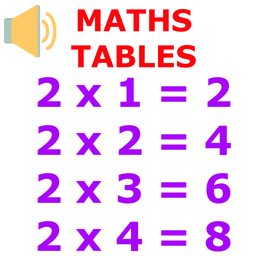
The app speaks each multiple aloud while highlighting the corresponding row, making it easier for young learners to connect the spoken word with the written number. This audio-assisted approach helps reinforce patterns and builds confidence as children work through the tables. You can choose from multiple pronunciation styles—"2 times 3 equals 6," "2 times 3 is 6," or "2 3 za 6"—or select mute mode for silent practice. This flexibility ensures the learning style matches each child's preference.
Coverage spans tables 1 through 100, with options to practice either 10 or 20 multiples per table. Whether your child is just starting or looking to deepen their skills, the extensive range supports learners at every stage. The automatic shuffle feature keeps the experience fresh—once a child completes one table, the app immediately loads the next, maintaining momentum and preventing repetitive, tedious drills.
The clean, distraction-free design lets children focus on the content rather than navigating complex menus. Kids can practice independently, building both mathematical knowledge and self-directed learning habits. Parents can step back and trust the app to deliver consistent, structured practice.
Maths Multiplication Tables transforms what might feel like rote memorization into an active, audio-supported learning journey. Watch as your child's comfort with multiplication grows, building a solid foundation for more advanced math concepts ahead.
Pros & Cons
Pros
- Audio narration with multiple pronunciation styles reinforces learning patterns
- Tables 1–100 with flexible practice options (10 or 20 multiples) suit all skill levels
- Automatic shuffle feature maintains engagement and prevents repetitive drills
- Clean, distraction-free interface lets children focus without menu confusion
Cons
- No indication of progress tracking or achievement milestones for motivation
- Audio-dependent learning may not suit all children or noisy environments
- Requires active parental setup to configure pronunciation and practice settings
- Limited information about adaptive difficulty or personalized pacing adjustments
Frequently asked questions about Maths Multiplication Tables
Is Maths Multiplication Tables safe to download?
A malware scan report for this version of Maths Multiplication Tables is not available on Unstore yet. Only install files from sources you trust and keep your device's security protection turned on.
What are the system requirements for Maths Multiplication Tables?
Maths Multiplication Tables runs on Android. It requires Android 6.0 (Marshmallow) or later. The download size is 11.0 MB.
What is the latest version of Maths Multiplication Tables?
The latest version of Maths Multiplication Tables on Unstore is 3.0. It was last updated on July 27, 2026.
Who develops Maths Multiplication Tables?
Maths Multiplication Tables is developed by Mobilia Apps.
Related Apps

LEGO® DUPLO® Marvel
StoryToys
Marvel building game for kids 2–6. Play with heroes, solve puzzles, and develop skills offline.

Baby learning games for kids
Bimi Boo Kids Learning Games for Toddlers FZ-LLC
Baby learning games for toddlers aged 2–5. 30 mini-games teach colors, shapes, logic, and motor skills. Ad-free and safe.

Kids games for 2-5 year olds
Bimi Boo Kids Learning Games for Toddlers FZ-LLC
Educational games for toddlers: 60 activities with 15 characters teaching skills through play.

Baby Games: Shapes and Colors
Bimi Boo Kids Learning Games for Toddlers FZ-LLC
Educational games for toddlers: shapes, colors, matching & logic for ages 2–5 — ad-free.

Bimi Boo World: Toddler Games
Bimi Boo Kids Learning Games for Toddlers FZ-LLC
Toddler games with roleplay, character customization, and creative exploration for ages 2–6.

Kids car games for toddlers 1+
Bimi Boo Kids Learning Games for Toddlers FZ-LLC
Car games for toddlers: puzzle racing, no ads, offline play, ages 1–5. Learn while you play.
Latest Articles

Play a free Color Ball Sort Puzzle-style game in your browser (no download)
Oct 6, 2026

Play a free Beach Buggy Racing-style kart racer in your browser (no download)
Oct 6, 2026

Play a free Alto's Adventure-style game in your browser (no download)
Oct 6, 2026

Free online whiteboard like Jamboard: use Quickboard in your browser, no signup
Oct 6, 2026

Free online running pace calculator: splits, race predictor and daily challenge, no download
Oct 6, 2026